
To demonstrate Terraform’s workflow in a simple, fun way, I’ll be creating a random pet resource.
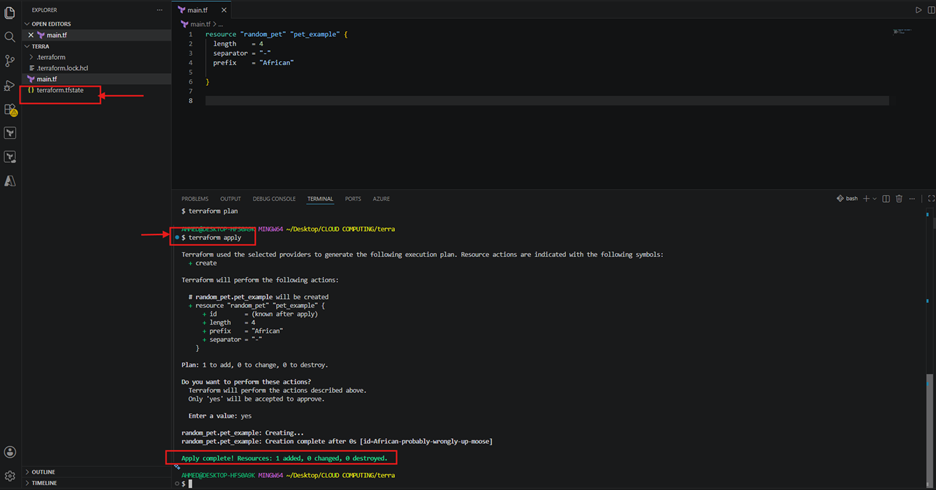
Here’s the first main.tf:
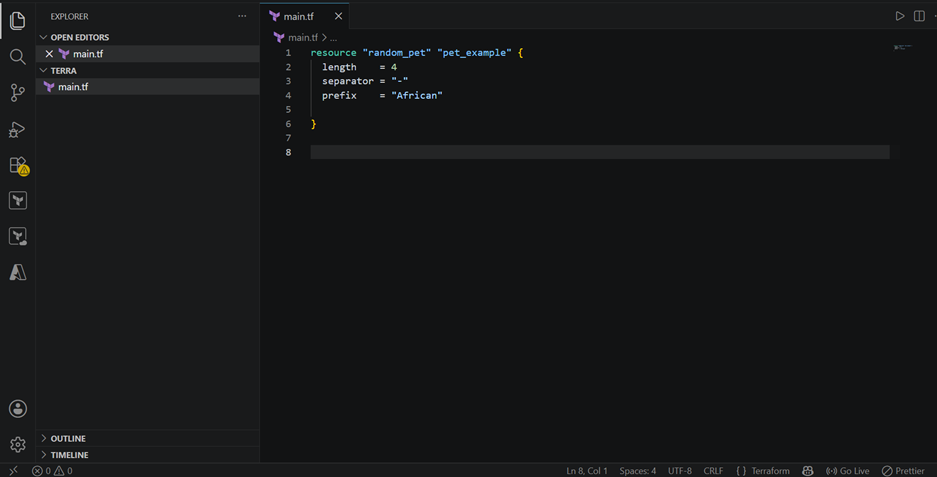
- Resource type: random_pet (from the random provider) generates a fun, human‑readable name.
- Attributes:
- length = 4 → the name will have 4 words.
- separator = “-” → words are joined with a hyphen.
- prefix = “African” → every name starts with “African.”
So, Terraform would generate something like: African-happy-lion-tiger.
This configuration is hardcoded making it less flexible and harder to reuse across different environments.
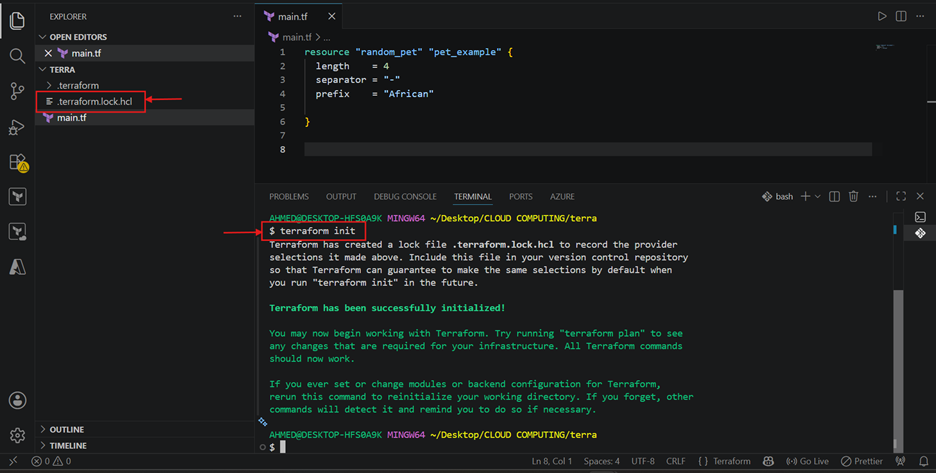
Terraform init: Initializes the working directory. It downloads the providers your config depends on (here, the random provider), sets up the. terraform folder, and creates the terraform.lock.hcl file to lock provider versions. You run this once per project, and again any time you add a new provider or module.
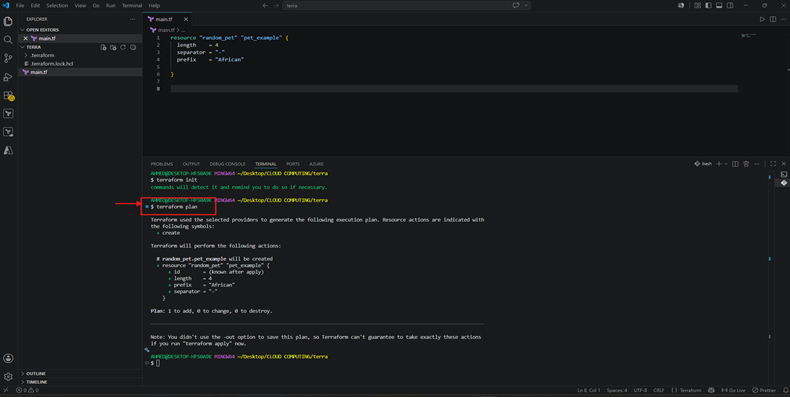
Terraform plan: It is a dry run. Terraform compares your .tf files against the current state and shows you exactly what it would create, change, or destroy without touching anything yet.
Always run this before apply so there are no surprises.
Terraform apply: It actually provisions the resources. Terraform re-runs the plan, asks for confirmation (yes), then creates/updates the real infrastructure and writes the result into terraform.tfstate.
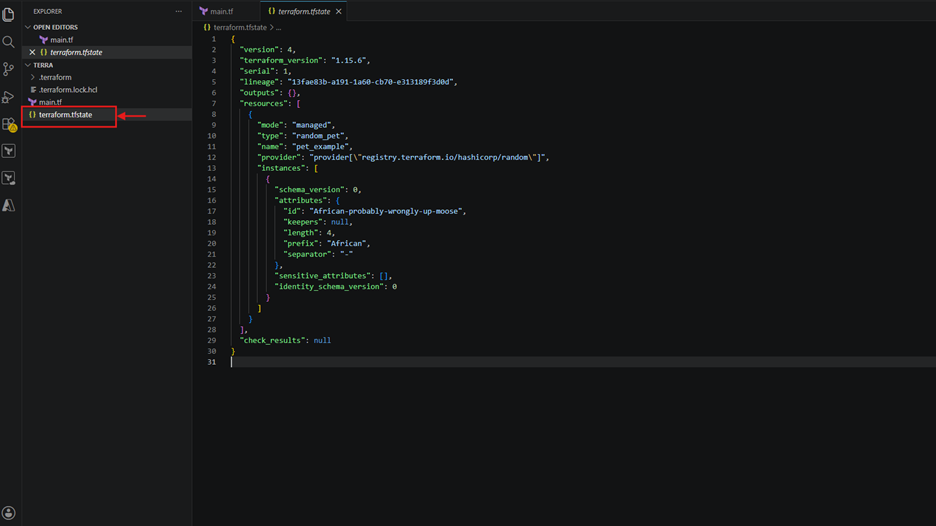
Terraform state file: Terraform uses this file to track the real-world state of your infrastructure. It’s how Terraform knows what resources exist, their attributes, and how they map to your configuration files (.tf). Think of it as Terraform’s memory, it ensures that future runs (plan, apply, destroy) know what’s already been created.
Never manually edit the terraform.tfstate file. Instead, use Terraform commands to modify it safely.
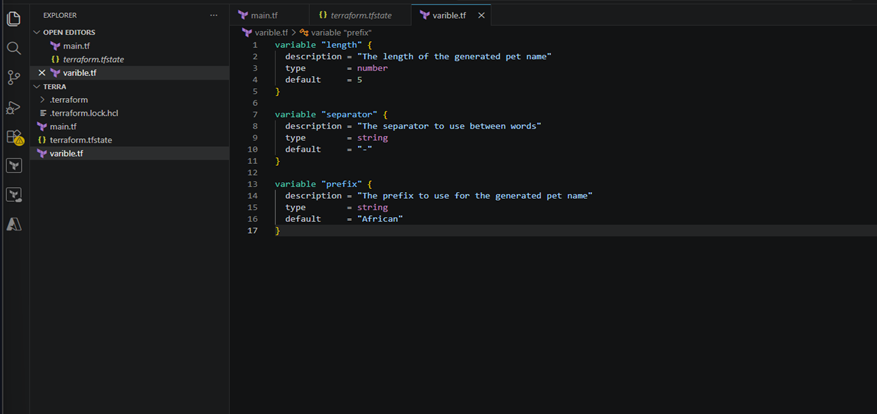
Variables: The variable file (usually named variables.tf) is where you declare variables that make your Terraform configuration flexible and reusable. Instead of hardcoding values directly in main.tf, you define them here and reference them later.
In your main.tf, you can reference these variables like this:
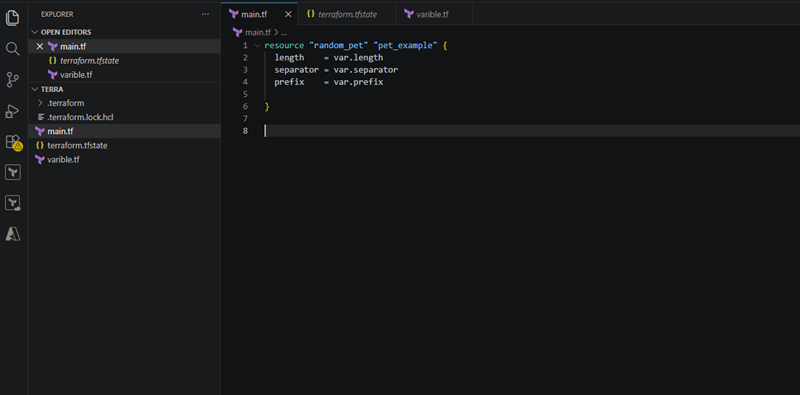
Terraform will automatically pull the values from your varible.tf file.
Notice that I changed the default length to 5 and prefix to Asian which was 4 and African in our previous main.tf file, now let’s run it:
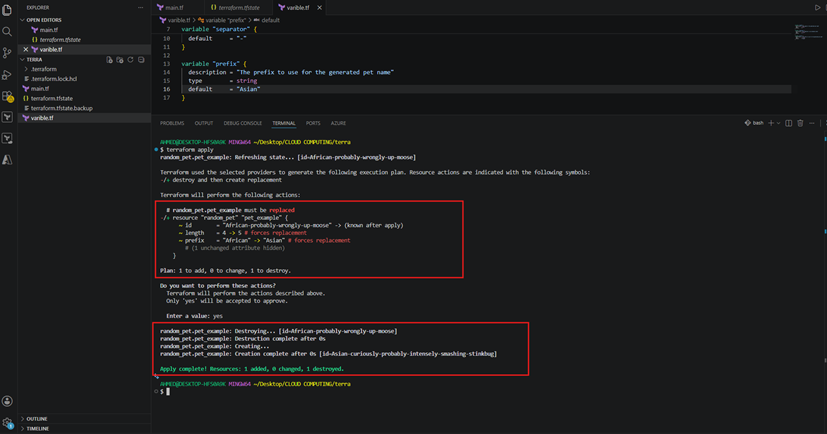
Terraform noticed that the existing resource (random_pet.pet_example) was created using the old values (length = 4, prefix = African). Since both of these attributes affect the generated name, Terraform determined that the resource must be replaced. This means Terraform will destroy the old resource and create a new one.
So, the old name was destroyed, and a new one “Asian-curiously-probably-intensely-smashing-stinkbug” was generated using the updated variables.
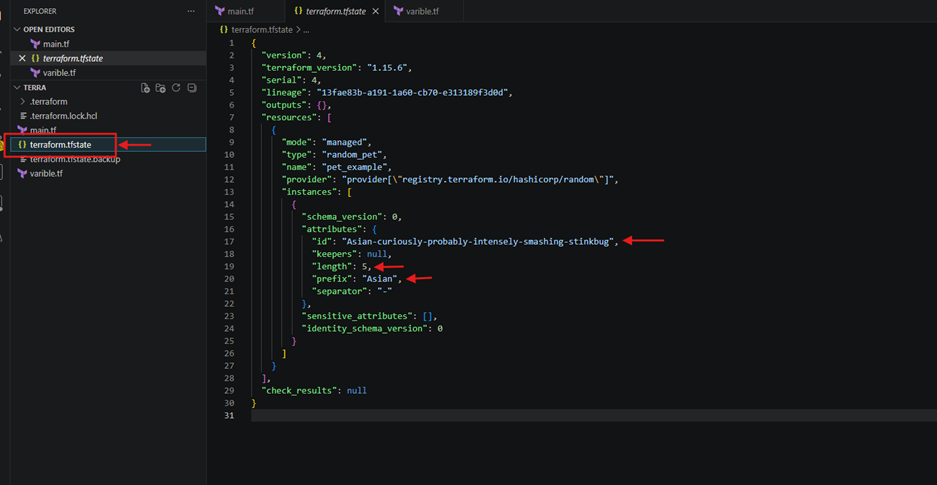
The state file changes also, when the variable defaults in varible.tf was changed (from length = 4 and prefix = “African” to length = 5 and prefix = “Asian”), Terraform updated the state file to reflect the new resource configuration.
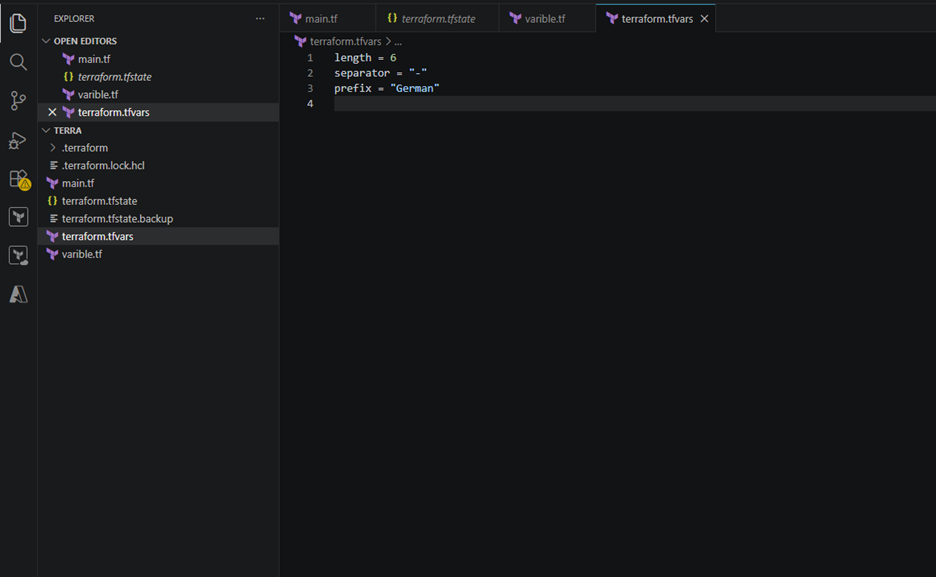
Terraform.tfvars: The file defines values for variables declared in your variables.tf. These values override the defaults you set in variable.tf. And it keeps your default variables values intact for reuse.
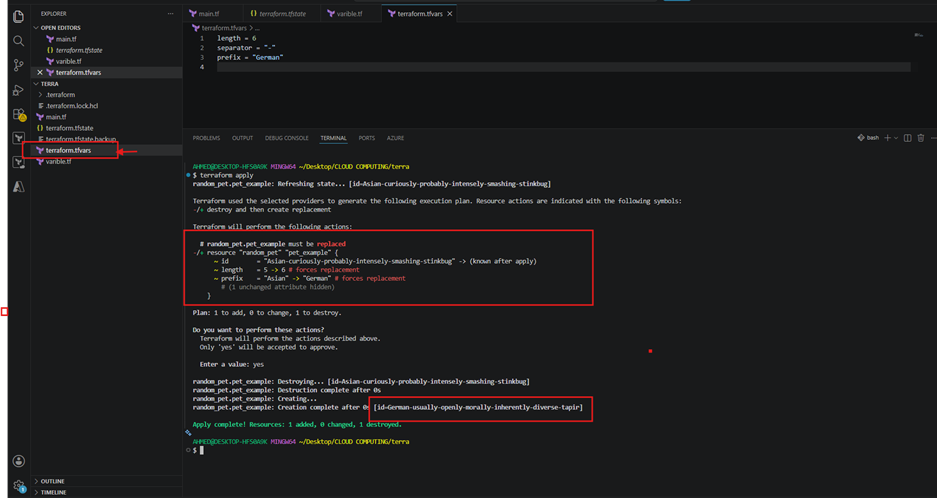
After running Terraform apply the old random pet name was destroyed, and a new one was generated using your updated tfvars values.
Locals: They are Terraform’s internal helpers, they take precedence over variables when referenced, must be called using local.<name>, and it makes your configuration more modular and maintainable.
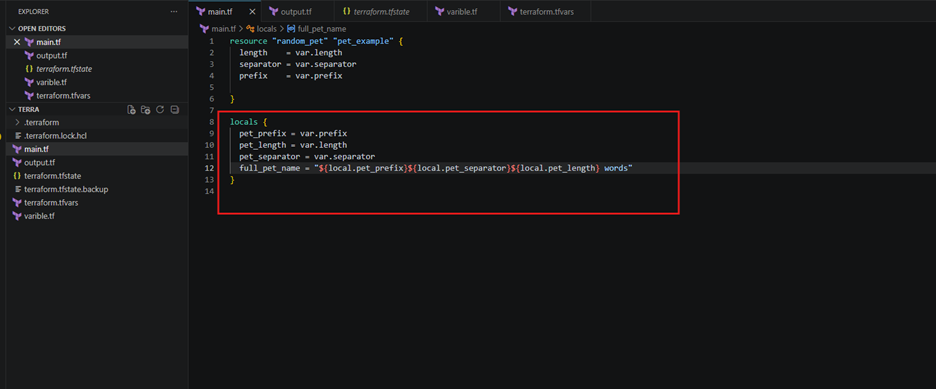
- locals {} defines internal constants or computed values.
- Each local (like pet_prefix, pet_length, etc) references variables (var.prefix, var.length, var.separator).
- full_pet_name combines them into a single string using interpolation.
Terraform output block: Defines a value that Terraform will display after running terraform apply.
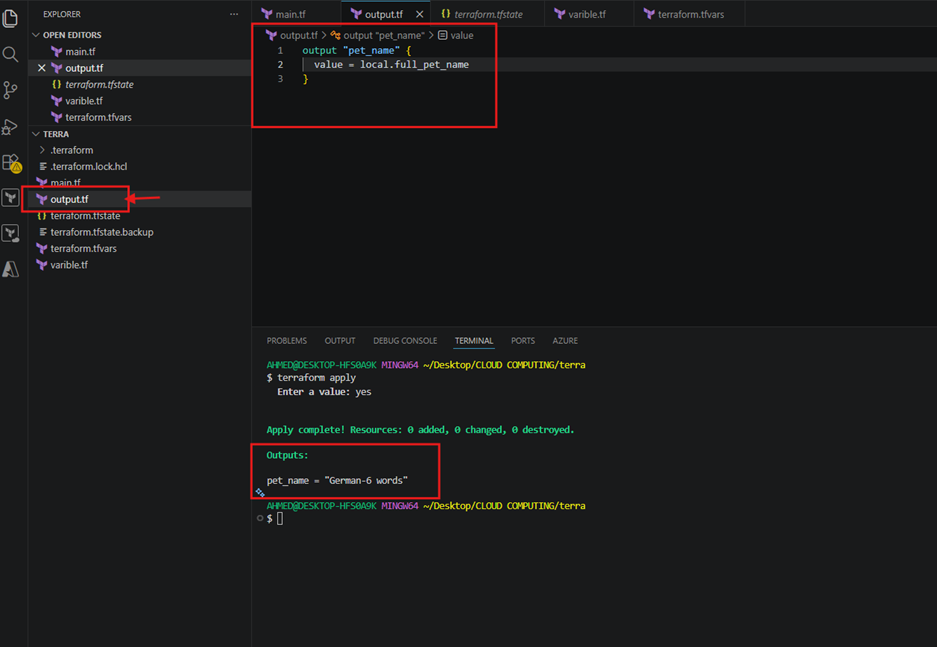
- pet_name: The name of the output variable, you’ll see this label in the terminal when Terraform finishes applying.
- value (local.full_pet_name): This references the local variable that was defined in main.tf. It pulls the computed string (like “German-6 words”) and prints it as part of the output.