
Beyond basic file commands, Linux becomes truly powerful when you understand redirection, pipes, and text processing tools. These features allow you to control input, output, and errors efficiently which is essential in system administration and DevOps and cloud environments.
Output Redirection (>)
Redirection allows you to send command output into a file instead of displaying it on the screen.
Overwriting a File
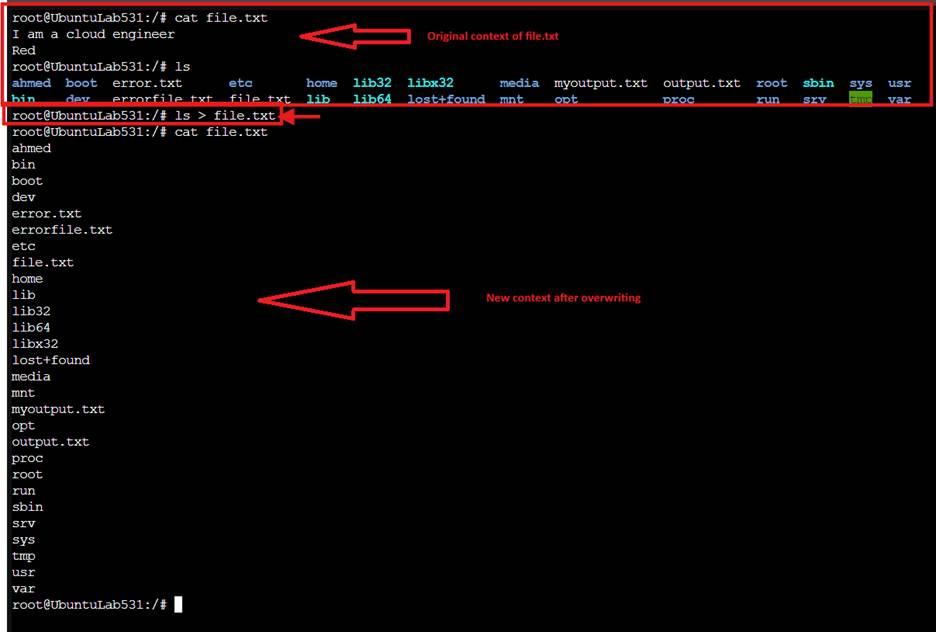
Example: ls > file.txt
- This saves the output of ls into file.txt.
- If the file already exists, it overwrites the content.
Appending Output (>>)
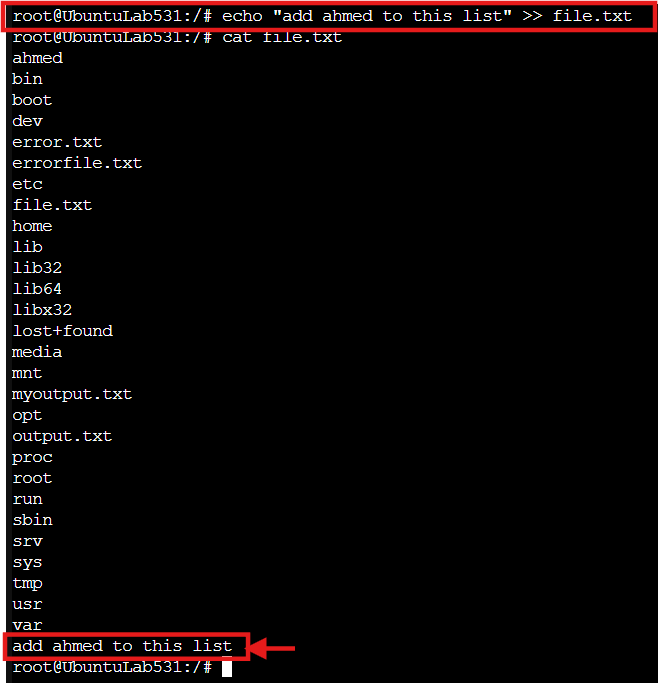
Appending adds content to an existing file without deleting what is already inside.
Example: echo “add ahmed to this list” >> file.txt
- If file.txt exists, the new content is added to the bottom.
- If it does not exist, it will be created.
The Three Standard Streams in Linux
Every Linux command works with three standard data streams:
- Standard Input (stdin – 0)
Data coming from the keyboard. - Standard Output (stdout – 1)
Normal output displayed on the screen. - Standard Error (stderr – 2)
Error messages displayed on the screen.
Understanding these streams is critical for effective redirection.
Redirecting Errors (2>)
You can redirect errors separately from normal output.
Example: ls /ahmed/pas 2> errorfile.txt
- 2> sends error messages to errorfile.txt
This is useful when troubleshooting.

Redirecting All Output (stdout + stderr)
To redirect both output and errors into the same file:
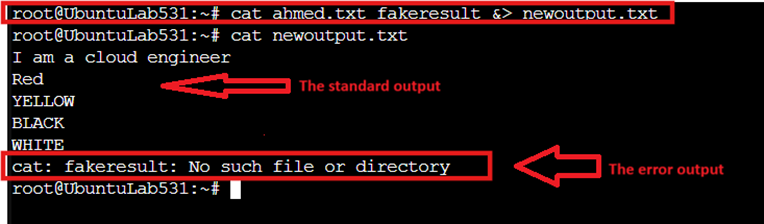
Example: cat ahmed.txt fakeresult.txt &> newoutput.txt
or
cat ahmed.txt fakeresult.txt > newoutput.txt 2>&1
This combines standard output and error output.
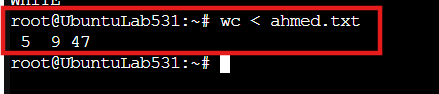
Redirecting Input (<)
Input redirection feeds a file into a command.
Example: wc < ahmed.txt
Instead of typing input manually, the file becomes the input source.
Using grep to Search for Text
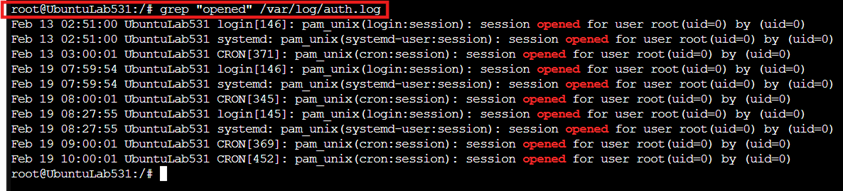
grep is used to search for specific text inside files.
Example: grep “opened” /var/log/auth.log
This searches for the word opened inside the log file.
Using Pipes (|)
Pipes send the output of one command as input to another.
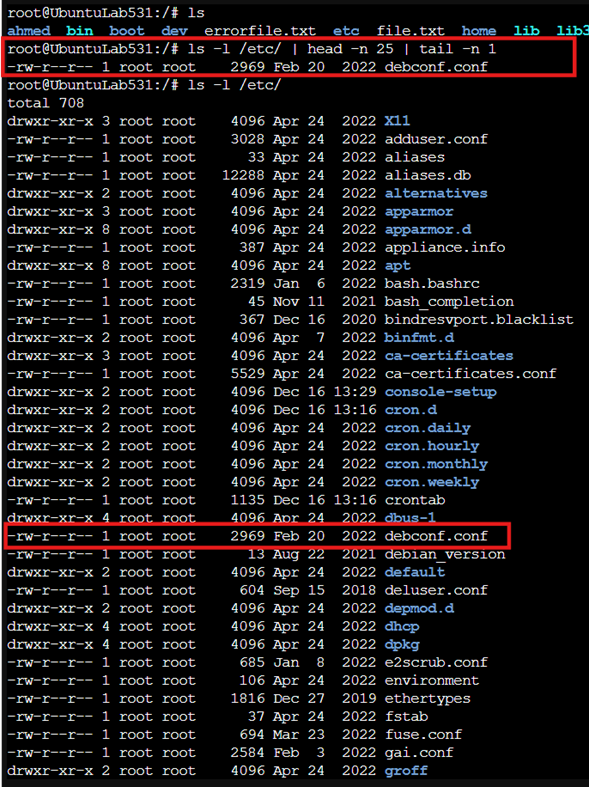
Example: Get the 25th file in a directory:
ls -l /etc/ | head -n 25 | tail -n 1
How it works:
- ls -l /etc/ lists files
- head -n 25 takes the first 25 lines
- tail -n 1 selects the 25th line only
This is a practical example of chaining commands together.
Word Count (wc)
The wc command counts:
Example: wc ahmed.txt
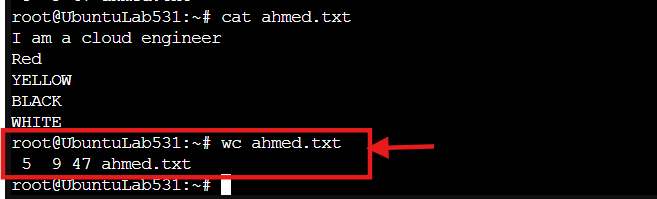
It shows:
- Number of lines
- Number of words
- Number of characters (including spaces)
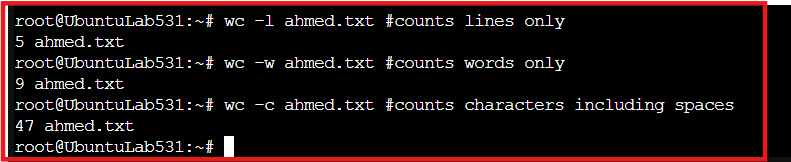
Counting Individually
wc -l ahmed.txt # counts lines only
wc -w ahmed.txt # counts words only
wc -c ahmed.txt # counts characters including spaces
Transforming Text with tr
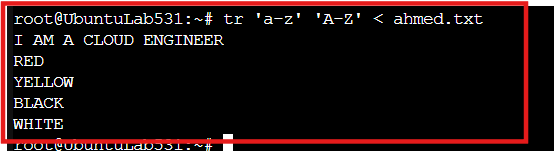
The tr command translates or transforms characters.
Example: tr ‘a-z’ ‘A-Z’ < ahmed.txt
This converts all lowercase letters to uppercase.
Why This Matters
Redirection, pipes, and text-processing commands are essential for:
- Log analysis
- Automation scripts
- Data filtering
- Troubleshooting
- Monitoring systems
These tools allow you to manipulate data directly from the command line efficiently and at scale.